MPEG-DASH and .mpd manifests: how they work and how to save them
Key takeaways
- MPEG-DASH (Dynamic Adaptive Streaming over HTTP) is an international standard, ISO/IEC 23009-1, for delivering adaptive video over ordinary HTTP.
- A DASH stream is described by an XML manifest, the Media Presentation Description (.mpd), which lists periods, adaptation sets and representations.
- In DASH, audio and video are almost always separate representations, so a downloader must fetch both and merge them with FFmpeg.
- A ContentProtection element in the manifest signals encryption, usually Widevine or PlayReady; such streams must not be decrypted without authorisation.
- yt-dlp reads .mpd manifests directly and FFmpeg includes a DASH demuxer, so open-source tools can save unprotected DASH streams without re-encoding.
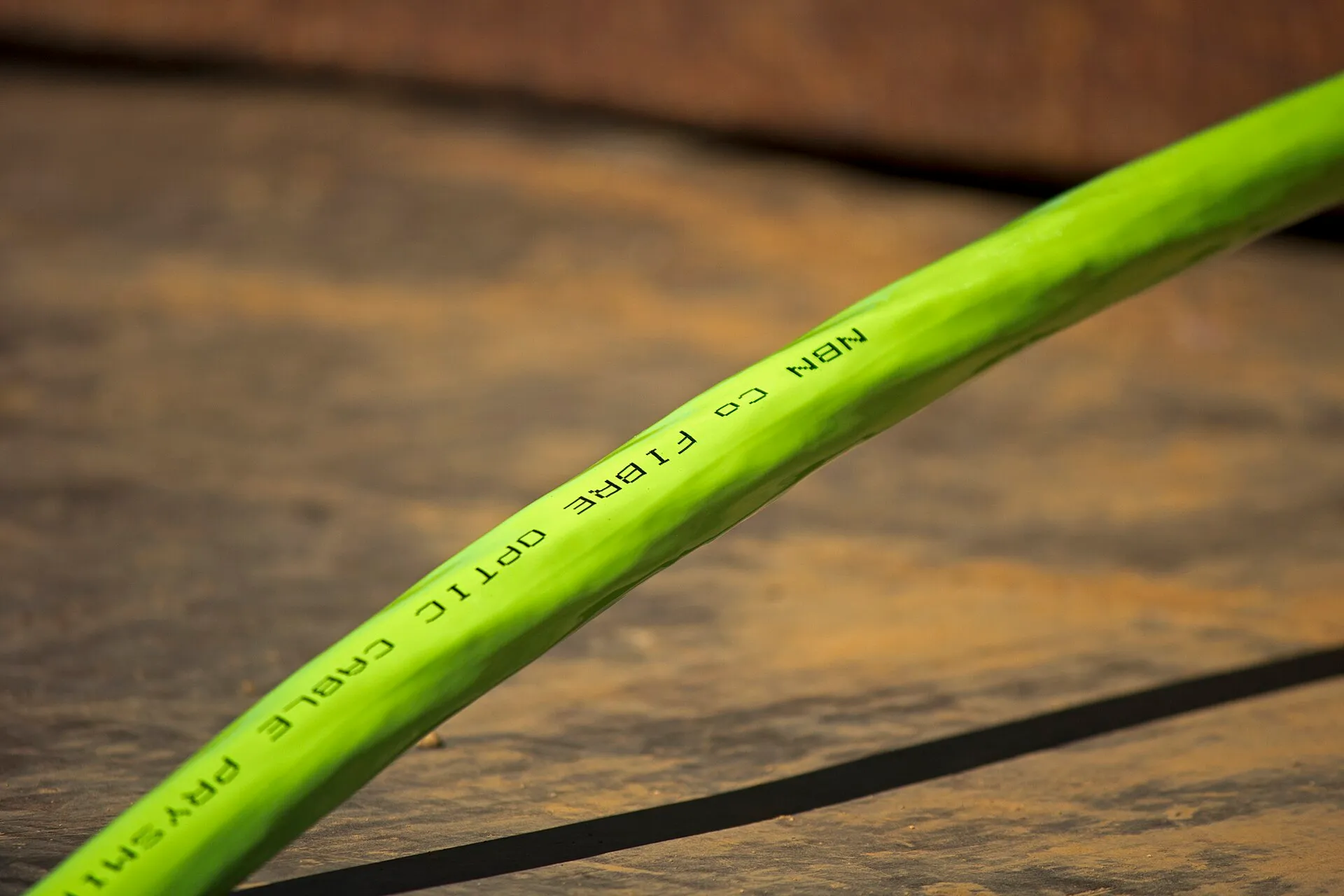

MPEG-DASH is the international standard behind much of today’s adaptive web video. A DASH stream is described by an XML file, the .mpd (Media Presentation Description), which tells the player where to find each quality level of the video and each audio track, cut into short segments. To save a DASH stream, a tool reads the .mpd, downloads the segments of the representations you want and merges audio and video into one file. yt-dlp and FFmpeg both do this locally, as long as the stream is not protected by DRM.
As always, keep to content you own, content under an open licence or in the public domain, or content you have permission to keep. Our guide is downloading videos legal? details the rules.
What is MPEG-DASH?
DASH stands for Dynamic Adaptive Streaming over HTTP. It was developed by the MPEG group and published as ISO/IEC 23009-1. Unlike HLS, which began as an Apple technology, DASH was designed from the start as a vendor-neutral standard. The DASH Industry Forum (DASH-IF) publishes interoperability guidelines and maintains dash.js, an open-source reference player.
Like HLS, DASH relies on three ideas: segments served over plain HTTP, several encodings of the same content at different bitrates, and a manifest that tells the player how to switch between them.
How is an .mpd manifest structured?
An .mpd is a nested XML document. A simplified example:
<MPD type="static" mediaPresentationDuration="PT10M" ...>
  <Period>
    <AdaptationSet mimeType="video/mp4">
      <Representation id="v720" bandwidth="2500000" width="1280" height="720" codecs="avc1.64001f">
        <SegmentTemplate media="video_720_$Number$.m4s" initialization="video_720_init.mp4" startNumber="1" duration="4" timescale="1"/>
      </Representation>
      <Representation id="v1080" bandwidth="5000000" width="1920" height="1080" codecs="avc1.640028"/>
    </AdaptationSet>
    <AdaptationSet mimeType="audio/mp4" lang="en">
      <Representation id="a128" bandwidth="128000" codecs="mp4a.40.2"/>
    </AdaptationSet>
  </Period>
</MPD>| Element | Role |
|---|---|
MPD |
Root. type="static" for on-demand, type="dynamic" for live |
Period |
A time span of the presentation (for example main content vs an inserted segment) |
AdaptationSet |
A group of interchangeable versions: all video qualities, or one audio language |
Representation |
One concrete encoding: codec, bitrate, resolution |
SegmentTemplate / SegmentList / SegmentBase |
How segment URLs are built or where byte ranges sit |
ContentProtection |
Encryption and DRM signalling |
Segments are usually fragmented MP4 (.m4s), sometimes WebM. Each representation starts with an initialisation segment that carries codec parameters; without it, the media segments cannot be decoded.
Why are audio and video separate in DASH?
Because it is efficient: one audio track can serve every video quality, and several audio languages can share one video. The cost is that a downloader must fetch at least two representations and merge them. That is the main reason yt-dlp requires FFmpeg for high-resolution downloads.
How do I download a DASH stream with yt-dlp?
yt-dlp handles DASH automatically from the page URL, and its generic extractor accepts a direct .mpd URL:
# Show every representation found in the manifest
yt-dlp -F "https://example.org/talks/my-conference-talk"

# Best video + best audio, merged into MKV
yt-dlp -f "bv*+ba/b" --merge-output-format mkv "https://cdn.example.org/manifest.mpd"
In the -F table, DASH representations appear as “video only” and “audio only” lines. The bv*+ba expression asks for one of each. Merging into MKV is the safest choice when codecs vary (for example VP9 video with Opus audio); MP4 is fine for H.264 with AAC. See MP4 vs MKV vs WebM for the details.
How do I download a DASH stream with FFmpeg?
FFmpeg ships a DASH demuxer (it depends on libxml2, which most builds include):
ffprobe -hide_banner "https://cdn.example.org/manifest.mpd"
ffmpeg -i "https://cdn.example.org/manifest.mpd" -map 0:v:0 -map 0:a:0 -c copy output.mkvffprobelists the streams FFmpeg sees in the manifest, in order.-map 0:v:0and-map 0:a:0select the first video and the first audio stream; change the index to pick another representation.-c copykeeps the original encoding, so there is no quality loss.
How do I tell whether a DASH stream is protected?
Open the .mpd in a text editor and look for ContentProtection:
<ContentProtection schemeIdUri="urn:mpeg:dash:mp4protection:2011" value="cenc"/>
<ContentProtection schemeIdUri="urn:uuid:..."/>
The first line says the segments use Common Encryption (CENC). The urn:uuid: lines identify DRM systems such as Widevine or PlayReady, through which the player obtains keys under licence via the browser’s Encrypted Media Extensions. When these are present, the stream is protected: tools will download unplayable, encrypted data, and circumventing the protection is illegal in most jurisdictions. Our DRM explainer covers the legal options.
DASH or HLS: which one will you meet?
| Point | MPEG-DASH | HLS |
|---|---|---|
| Manifest | XML .mpd |
Text .m3u8 |
| Standard | ISO/IEC 23009-1 | IETF RFC 8216 (informational) |
| Native playback on Apple devices | Limited | Yes |
| Typical segments | Fragmented MP4, WebM | MPEG-TS, fragmented MP4 |
| DRM usually paired | Widevine, PlayReady | FairPlay |
| Open-source download | yt-dlp, FFmpeg | yt-dlp, FFmpeg, Streamlink |
Many services publish both, often sharing the same CMAF segments (Common Media Application Format, ISO/IEC 23000-19). For archiving purposes, the format you download matters less than the codec you keep.
How are segments addressed in an MPD?
A Representation tells the player where its media lives in one of three ways. Knowing which one a manifest uses explains many download behaviours:
| Element | How segments are found | What it means for downloading |
|---|---|---|
SegmentBase |
One file per Representation; an index (sidx) maps byte ranges |
The tool requests byte ranges of a single URL; the result is often a ready-to-use file |
SegmentList |
Every segment URL is written out in the manifest | Long manifests, but nothing to compute |
SegmentTemplate |
A URL pattern with `$Number— | |
| lang: en | ||
| key: dash | ||
| section: formats | ||
| slug: mpeg-dash-mpd-explained | ||
| order: 2 | ||
| title: “MPEG-DASH and .mpd Files Explained (and Downloaded)” | ||
| description: “How MPEG-DASH works: the .mpd manifest, periods, adaptation sets and representations, and how to save a DASH stream legally with yt-dlp or FFmpeg.” | ||
| heading: “MPEG-DASH and .mpd manifests: how they work and how to save them” | ||
| menuLabel: “MPEG-DASH / mpd” | ||
| kw: “mpeg-dash mpd download” | ||
| summary: |
- “MPEG-DASH (Dynamic Adaptive Streaming over HTTP) is an international standard, ISO/IEC 23009-1, for delivering adaptive video over ordinary HTTP.”
- “A DASH stream is described by an XML manifest, the Media Presentation Description (.mpd), which lists periods, adaptation sets and representations.”
- “In DASH, audio and video are almost always separate representations, so a downloader must fetch both and merge them with FFmpeg.”
- “A ContentProtection element in the manifest signals encryption, usually Widevine or PlayReady; such streams must not be decrypted without authorisation.”
- “yt-dlp reads .mpd manifests directly and FFmpeg includes a DASH demuxer, so open-source tools can save unprotected DASH streams without re-encoding.” updated: 2026-11-18 image: dash imageAlt: “Bundle of fibre optic cable, the physical layer that carries adaptive streams like DASH” tools:
- name: yt-dlp licence: Unlicense (public domain) url: https://github.com/yt-dlp/yt-dlp
- name: FFmpeg licence: LGPL 2.1+ (some builds GPL) url: https://ffmpeg.org/
- name: dash.js (reference player) licence: BSD url: https://github.com/Dash-Industry-Forum/dash.js sources:
- title: “DASH Industry Forum: guidelines and specifications” url: https://dashif.org/guidelines/ publisher: DASH Industry Forum
- title: “dash.js reference player source code” url: https://github.com/Dash-Industry-Forum/dash.js publisher: DASH Industry Forum
- title: “FFmpeg formats documentation (DASH demuxer and muxer)” url: https://ffmpeg.org/ffmpeg-formats.html publisher: FFmpeg project
- title: “yt-dlp README” url: https://github.com/yt-dlp/yt-dlp#readme publisher: yt-dlp project
- title: “Encrypted Media Extensions (W3C Recommendation)” url: https://www.w3.org/TR/encrypted-media/ publisher: W3C faq:
- q: “What is the difference between DASH and HLS?” a: “Both cut video into segments delivered over HTTP and switch quality based on bandwidth. HLS uses a text .m3u8 playlist and comes from Apple; DASH uses an XML .mpd manifest and is an ISO/IEC standard. With the CMAF format, the same media segments can serve both.”
- q: “Can I open an .mpd file in VLC?” a: “Recent VLC versions include an adaptive streaming module that can play many unprotected DASH manifests from a URL. Playback is not the same as a clean download, though: yt-dlp or FFmpeg give you more control over which representations are kept.”
- q: “Why does my DASH download have no sound?” a: “DASH stores audio in its own adaptation set. If you downloaded only the video representation, the file is silent. Let yt-dlp select bv*+ba so it fetches both and merges them, or map both streams in FFmpeg.”
- q: “Is every DASH stream encrypted?” a: “No. Many DASH streams, especially public broadcasters’ clips, conference recordings and test streams, are unencrypted. Encryption is signalled by ContentProtection elements in the manifest. If they reference a DRM system, the content is protected.”
- q: “What do $Number$ and $Time$ mean in an .mpd?” a: “They are placeholders in a SegmentTemplate. The player replaces $Number$ with the segment index and $Time$ with the segment start time to build each segment URL, which is why a DASH manifest can describe thousands of segments in a few lines.” related:
- hls
- codecs
- drm
- yt-dlp
- ffmpeg
MPEG-DASH is the international standard behind much of today’s adaptive web video. A DASH stream is described by an XML file, the .mpd (Media Presentation Description), which tells the player where to find each quality level of the video and each audio track, cut into short segments. To save a DASH stream, a tool reads the .mpd, downloads the segments of the representations you want and merges audio and video into one file. yt-dlp and FFmpeg both do this locally, as long as the stream is not protected by DRM.
As always, keep to content you own, content under an open licence or in the public domain, or content you have permission to keep. Our guide is downloading videos legal? details the rules.
What is MPEG-DASH?
DASH stands for Dynamic Adaptive Streaming over HTTP. It was developed by the MPEG group and published as ISO/IEC 23009-1. Unlike HLS, which began as an Apple technology, DASH was designed from the start as a vendor-neutral standard. The DASH Industry Forum (DASH-IF) publishes interoperability guidelines and maintains dash.js, an open-source reference player.
Like HLS, DASH relies on three ideas: segments served over plain HTTP, several encodings of the same content at different bitrates, and a manifest that tells the player how to switch between them.
How is an .mpd manifest structured?
An .mpd is a nested XML document. A simplified example:
<MPD type="static" mediaPresentationDuration="PT10M" ...>
  <Period>
    <AdaptationSet mimeType="video/mp4">
      <Representation id="v720" bandwidth="2500000" width="1280" height="720" codecs="avc1.64001f">
        <SegmentTemplate media="video_720_$Number$.m4s" initialization="video_720_init.mp4" startNumber="1" duration="4" timescale="1"/>
      </Representation>
      <Representation id="v1080" bandwidth="5000000" width="1920" height="1080" codecs="avc1.640028"/>
    </AdaptationSet>
    <AdaptationSet mimeType="audio/mp4" lang="en">
      <Representation id="a128" bandwidth="128000" codecs="mp4a.40.2"/>
    </AdaptationSet>
  </Period>
</MPD>| Element | Role |
|---|---|
MPD |
Root. type="static" for on-demand, type="dynamic" for live |
Period |
A time span of the presentation (for example main content vs an inserted segment) |
AdaptationSet |
A group of interchangeable versions: all video qualities, or one audio language |
Representation |
One concrete encoding: codec, bitrate, resolution |
SegmentTemplate / SegmentList / SegmentBase |
How segment URLs are built or where byte ranges sit |
ContentProtection |
Encryption and DRM signalling |
Segments are usually fragmented MP4 (.m4s), sometimes WebM. Each representation starts with an initialisation segment that carries codec parameters; without it, the media segments cannot be decoded.
Why are audio and video separate in DASH?
Because it is efficient: one audio track can serve every video quality, and several audio languages can share one video. The cost is that a downloader must fetch at least two representations and merge them. That is the main reason yt-dlp requires FFmpeg for high-resolution downloads.
How do I download a DASH stream with yt-dlp?
yt-dlp handles DASH automatically from the page URL, and its generic extractor accepts a direct .mpd URL:
# Show every representation found in the manifest
yt-dlp -F "https://example.org/talks/my-conference-talk"

# Best video + best audio, merged into MKV
yt-dlp -f "bv*+ba/b" --merge-output-format mkv "https://cdn.example.org/manifest.mpd"
In the -F table, DASH representations appear as “video only” and “audio only” lines. The bv*+ba expression asks for one of each. Merging into MKV is the safest choice when codecs vary (for example VP9 video with Opus audio); MP4 is fine for H.264 with AAC. See MP4 vs MKV vs WebM for the details.
How do I download a DASH stream with FFmpeg?
FFmpeg ships a DASH demuxer (it depends on libxml2, which most builds include):
ffprobe -hide_banner "https://cdn.example.org/manifest.mpd"
ffmpeg -i "https://cdn.example.org/manifest.mpd" -map 0:v:0 -map 0:a:0 -c copy output.mkvffprobelists the streams FFmpeg sees in the manifest, in order.-map 0:v:0and-map 0:a:0select the first video and the first audio stream; change the index to pick another representation.-c copykeeps the original encoding, so there is no quality loss.
How do I tell whether a DASH stream is protected?
Open the .mpd in a text editor and look for ContentProtection:
<ContentProtection schemeIdUri="urn:mpeg:dash:mp4protection:2011" value="cenc"/>
<ContentProtection schemeIdUri="urn:uuid:..."/>
The first line says the segments use Common Encryption (CENC). The urn:uuid: lines identify DRM systems such as Widevine or PlayReady, through which the player obtains keys under licence via the browser’s Encrypted Media Extensions. When these are present, the stream is protected: tools will download unplayable, encrypted data, and circumventing the protection is illegal in most jurisdictions. Our DRM explainer covers the legal options.
DASH or HLS: which one will you meet?
| Point | MPEG-DASH | HLS |
|---|---|---|
| Manifest | XML .mpd |
Text .m3u8 |
| Standard | ISO/IEC 23009-1 | IETF RFC 8216 (informational) |
| Native playback on Apple devices | Limited | Yes |
| Typical segments | Fragmented MP4, WebM | MPEG-TS, fragmented MP4 |
| DRM usually paired | Widevine, PlayReady | FairPlay |
| Open-source download | yt-dlp, FFmpeg | yt-dlp, FFmpeg, Streamlink |
Many services publish both, often sharing the same CMAF segments (Common Media Application Format, ISO/IEC 23000-19). For archiving purposes, the format you download matters less than the codec you keep.
or `$Time— lang: en key: dash section: formats slug: mpeg-dash-mpd-explained order: 2 title: “MPEG-DASH and .mpd Files Explained (and Downloaded)” description: “How MPEG-DASH works: the .mpd manifest, periods, adaptation sets and representations, and how to save a DASH stream legally with yt-dlp or FFmpeg.” heading: “MPEG-DASH and .mpd manifests: how they work and how to save them” menuLabel: “MPEG-DASH / mpd” kw: “mpeg-dash mpd download” summary:
- “MPEG-DASH (Dynamic Adaptive Streaming over HTTP) is an international standard, ISO/IEC 23009-1, for delivering adaptive video over ordinary HTTP.”
- “A DASH stream is described by an XML manifest, the Media Presentation Description (.mpd), which lists periods, adaptation sets and representations.”
- “In DASH, audio and video are almost always separate representations, so a downloader must fetch both and merge them with FFmpeg.”
- “A ContentProtection element in the manifest signals encryption, usually Widevine or PlayReady; such streams must not be decrypted without authorisation.”
- “yt-dlp reads .mpd manifests directly and FFmpeg includes a DASH demuxer, so open-source tools can save unprotected DASH streams without re-encoding.” updated: 2026-11-18 image: dash imageAlt: “Bundle of fibre optic cable, the physical layer that carries adaptive streams like DASH” tools:
- name: yt-dlp licence: Unlicense (public domain) url: https://github.com/yt-dlp/yt-dlp
- name: FFmpeg licence: LGPL 2.1+ (some builds GPL) url: https://ffmpeg.org/
- name: dash.js (reference player) licence: BSD url: https://github.com/Dash-Industry-Forum/dash.js sources:
- title: “DASH Industry Forum: guidelines and specifications” url: https://dashif.org/guidelines/ publisher: DASH Industry Forum
- title: “dash.js reference player source code” url: https://github.com/Dash-Industry-Forum/dash.js publisher: DASH Industry Forum
- title: “FFmpeg formats documentation (DASH demuxer and muxer)” url: https://ffmpeg.org/ffmpeg-formats.html publisher: FFmpeg project
- title: “yt-dlp README” url: https://github.com/yt-dlp/yt-dlp#readme publisher: yt-dlp project
- title: “Encrypted Media Extensions (W3C Recommendation)” url: https://www.w3.org/TR/encrypted-media/ publisher: W3C faq:
- q: “What is the difference between DASH and HLS?” a: “Both cut video into segments delivered over HTTP and switch quality based on bandwidth. HLS uses a text .m3u8 playlist and comes from Apple; DASH uses an XML .mpd manifest and is an ISO/IEC standard. With the CMAF format, the same media segments can serve both.”
- q: “Can I open an .mpd file in VLC?” a: “Recent VLC versions include an adaptive streaming module that can play many unprotected DASH manifests from a URL. Playback is not the same as a clean download, though: yt-dlp or FFmpeg give you more control over which representations are kept.”
- q: “Why does my DASH download have no sound?” a: “DASH stores audio in its own adaptation set. If you downloaded only the video representation, the file is silent. Let yt-dlp select bv*+ba so it fetches both and merges them, or map both streams in FFmpeg.”
- q: “Is every DASH stream encrypted?” a: “No. Many DASH streams, especially public broadcasters’ clips, conference recordings and test streams, are unencrypted. Encryption is signalled by ContentProtection elements in the manifest. If they reference a DRM system, the content is protected.”
- q: “What do $Number$ and $Time$ mean in an .mpd?” a: “They are placeholders in a SegmentTemplate. The player replaces $Number$ with the segment index and $Time$ with the segment start time to build each segment URL, which is why a DASH manifest can describe thousands of segments in a few lines.” related:
- hls
- codecs
- drm
- yt-dlp
- ffmpeg
MPEG-DASH is the international standard behind much of today’s adaptive web video. A DASH stream is described by an XML file, the .mpd (Media Presentation Description), which tells the player where to find each quality level of the video and each audio track, cut into short segments. To save a DASH stream, a tool reads the .mpd, downloads the segments of the representations you want and merges audio and video into one file. yt-dlp and FFmpeg both do this locally, as long as the stream is not protected by DRM.
As always, keep to content you own, content under an open licence or in the public domain, or content you have permission to keep. Our guide is downloading videos legal? details the rules.
What is MPEG-DASH?
DASH stands for Dynamic Adaptive Streaming over HTTP. It was developed by the MPEG group and published as ISO/IEC 23009-1. Unlike HLS, which began as an Apple technology, DASH was designed from the start as a vendor-neutral standard. The DASH Industry Forum (DASH-IF) publishes interoperability guidelines and maintains dash.js, an open-source reference player.
Like HLS, DASH relies on three ideas: segments served over plain HTTP, several encodings of the same content at different bitrates, and a manifest that tells the player how to switch between them.
How is an .mpd manifest structured?
An .mpd is a nested XML document. A simplified example:
<MPD type="static" mediaPresentationDuration="PT10M" ...>
  <Period>
    <AdaptationSet mimeType="video/mp4">
      <Representation id="v720" bandwidth="2500000" width="1280" height="720" codecs="avc1.64001f">
        <SegmentTemplate media="video_720_$Number$.m4s" initialization="video_720_init.mp4" startNumber="1" duration="4" timescale="1"/>
      </Representation>
      <Representation id="v1080" bandwidth="5000000" width="1920" height="1080" codecs="avc1.640028"/>
    </AdaptationSet>
    <AdaptationSet mimeType="audio/mp4" lang="en">
      <Representation id="a128" bandwidth="128000" codecs="mp4a.40.2"/>
    </AdaptationSet>
  </Period>
</MPD>| Element | Role |
|---|---|
MPD |
Root. type="static" for on-demand, type="dynamic" for live |
Period |
A time span of the presentation (for example main content vs an inserted segment) |
AdaptationSet |
A group of interchangeable versions: all video qualities, or one audio language |
Representation |
One concrete encoding: codec, bitrate, resolution |
SegmentTemplate / SegmentList / SegmentBase |
How segment URLs are built or where byte ranges sit |
ContentProtection |
Encryption and DRM signalling |
Segments are usually fragmented MP4 (.m4s), sometimes WebM. Each representation starts with an initialisation segment that carries codec parameters; without it, the media segments cannot be decoded.
Why are audio and video separate in DASH?
Because it is efficient: one audio track can serve every video quality, and several audio languages can share one video. The cost is that a downloader must fetch at least two representations and merge them. That is the main reason yt-dlp requires FFmpeg for high-resolution downloads.
How do I download a DASH stream with yt-dlp?
yt-dlp handles DASH automatically from the page URL, and its generic extractor accepts a direct .mpd URL:
# Show every representation found in the manifest
yt-dlp -F "https://example.org/talks/my-conference-talk"

# Best video + best audio, merged into MKV
yt-dlp -f "bv*+ba/b" --merge-output-format mkv "https://cdn.example.org/manifest.mpd"
In the -F table, DASH representations appear as “video only” and “audio only” lines. The bv*+ba expression asks for one of each. Merging into MKV is the safest choice when codecs vary (for example VP9 video with Opus audio); MP4 is fine for H.264 with AAC. See MP4 vs MKV vs WebM for the details.
How do I download a DASH stream with FFmpeg?
FFmpeg ships a DASH demuxer (it depends on libxml2, which most builds include):
ffprobe -hide_banner "https://cdn.example.org/manifest.mpd"
ffmpeg -i "https://cdn.example.org/manifest.mpd" -map 0:v:0 -map 0:a:0 -c copy output.mkvffprobelists the streams FFmpeg sees in the manifest, in order.-map 0:v:0and-map 0:a:0select the first video and the first audio stream; change the index to pick another representation.-c copykeeps the original encoding, so there is no quality loss.
How do I tell whether a DASH stream is protected?
Open the .mpd in a text editor and look for ContentProtection:
<ContentProtection schemeIdUri="urn:mpeg:dash:mp4protection:2011" value="cenc"/>
<ContentProtection schemeIdUri="urn:uuid:..."/>
The first line says the segments use Common Encryption (CENC). The urn:uuid: lines identify DRM systems such as Widevine or PlayReady, through which the player obtains keys under licence via the browser’s Encrypted Media Extensions. When these are present, the stream is protected: tools will download unplayable, encrypted data, and circumventing the protection is illegal in most jurisdictions. Our DRM explainer covers the legal options.
DASH or HLS: which one will you meet?
| Point | MPEG-DASH | HLS |
|---|---|---|
| Manifest | XML .mpd |
Text .m3u8 |
| Standard | ISO/IEC 23009-1 | IETF RFC 8216 (informational) |
| Native playback on Apple devices | Limited | Yes |
| Typical segments | Fragmented MP4, WebM | MPEG-TS, fragmented MP4 |
| DRM usually paired | Widevine, PlayReady | FairPlay |
| Open-source download | yt-dlp, FFmpeg | yt-dlp, FFmpeg, Streamlink |
Many services publish both, often sharing the same CMAF segments (Common Media Application Format, ISO/IEC 23000-19). For archiving purposes, the format you download matters less than the codec you keep.
, often with a SegmentTimeline | The tool must compute each URL; this is the usual pattern for live streams |
How do I inspect a DASH stream before downloading?
Three commands give you everything you need to decide:
# 1. Every audio and video Representation, as yt-dlp sees them
yt-dlp -F URL

# 2. The same information as JSON, for scripts or archiving
yt-dlp -j URL > info.json

# 3. FFmpeg's view of a manifest you are entitled to read
ffprobe -hide_banner "https://example.org/video/manifest.mpd"
Look for three things in the output: whether audio and video are separate (they nearly always are), which codecs are offered (an AV1-only top quality may not play on older devices, see our codec comparison), and whether the manifest declares ContentProtection. If it does, stop: the stream is encrypted and the DRM guide explains why no lawful tool will produce a usable file.
Which choice should I make for each situation?
- You want the best quality for archiving: let yt-dlp pick the best video and best audio and merge them into MKV with
--merge-output-format mkv. - You want a file that plays everywhere: prefer H.264 video and AAC audio and merge into MP4, accepting a lower top resolution if necessary.
- The stream is live: use a tool that follows the refreshing manifest, then remux the result once at the end.
Common DASH problems
- Silent video: you took a video-only representation. Select
bv*+ba. - Merge failed: FFmpeg is missing or out of date. Install or update it.
- Live manifest stops early: with
type="dynamic", the manifest is refreshed over time; use a tool that follows it, or a dedicated recorder such as Streamlink. - Unplayable file with
ContentProtectionpresent: the stream is DRM-protected. Look for an official offline option or a legal source.
Open-source tools in this guide
| Tool | Licence |
|---|---|
| yt-dlp | Unlicense (public domain) |
| FFmpeg | LGPL 2.1+ (some builds GPL) |
| dash.js (reference player) | BSD |
Frequently asked questions
What is the difference between DASH and HLS?
Both cut video into segments delivered over HTTP and switch quality based on bandwidth. HLS uses a text .m3u8 playlist and comes from Apple; DASH uses an XML .mpd manifest and is an ISO/IEC standard. With the CMAF format, the same media segments can serve both.
Can I open an .mpd file in VLC?
Recent VLC versions include an adaptive streaming module that can play many unprotected DASH manifests from a URL. Playback is not the same as a clean download, though: yt-dlp or FFmpeg give you more control over which representations are kept.
Why does my DASH download have no sound?
DASH stores audio in its own adaptation set. If you downloaded only the video representation, the file is silent. Let yt-dlp select bv*+ba so it fetches both and merges them, or map both streams in FFmpeg.
Is every DASH stream encrypted?
No. Many DASH streams, especially public broadcasters' clips, conference recordings and test streams, are unencrypted. Encryption is signalled by ContentProtection elements in the manifest. If they reference a DRM system, the content is protected.
What do $Number$ and $Time$ mean in an .mpd?
They are placeholders in a SegmentTemplate. The player replaces $Number$ with the segment index and $Time$ with the segment start time to build each segment URL, which is why a DASH manifest can describe thousands of segments in a few lines.
Sources and open data
- DASH Industry Forum: guidelines and specifications · DASH Industry Forum
- dash.js reference player source code · DASH Industry Forum
- FFmpeg formats documentation (DASH demuxer and muxer) · FFmpeg project
- yt-dlp README · yt-dlp project
- Encrypted Media Extensions (W3C Recommendation) · W3C
Related guides
- HLS / m3u8
What an .m3u8 playlist really is, how HLS splits video into segments, and how to save an HLS stream to one clean MP4 with yt-dlp or FFmpeg.
- AV1 vs VP9 vs H.264
Compare AV1, VP9, H.264 and HEVC for downloaded video: efficiency, compatibility, royalties and archiving, plus how to pick a codec with yt-dlp and FFmpeg.
- DRM and Widevine
What DRM is, how Widevine, PlayReady and FairPlay protect streams, why bypassing them is illegal in the US, EU and France, and the legal ways to watch offline.
- yt-dlp guide
A practical yt-dlp guide: install and update it safely, pick formats with -f and -S, name files, grab subtitles and keep a download archive.
- FFmpeg for video files
FFmpeg commands for downloaded video: merge separate audio and video, remux TS to MP4 without quality loss, cut clips, join parts and convert only when needed.