Saving a network stream with VLC media player
Key takeaways
- VLC media player, a free and open-source program from the VideoLAN non-profit, can save a direct video URL or network stream to a file through Media > Convert / Save, Network tab.
- From the command line, the stream output chain --sout "#std{access=file,mux=ts,dst=output.ts}" writes a stream to disk without opening a window when combined with the dummy interface.
- Choosing a conversion profile re-encodes the video; to keep the original quality, use a profile that keeps the original tracks or the dump mode.
- VLC works best with direct media URLs (an .mp4, an .m3u8 playlist, an RTSP or UDP stream); for video pages on large platforms, yt-dlp is more reliable.
- The VLC application is distributed under the GPL version 2 or later, and its core library libVLC under the LGPL 2.1 or later.
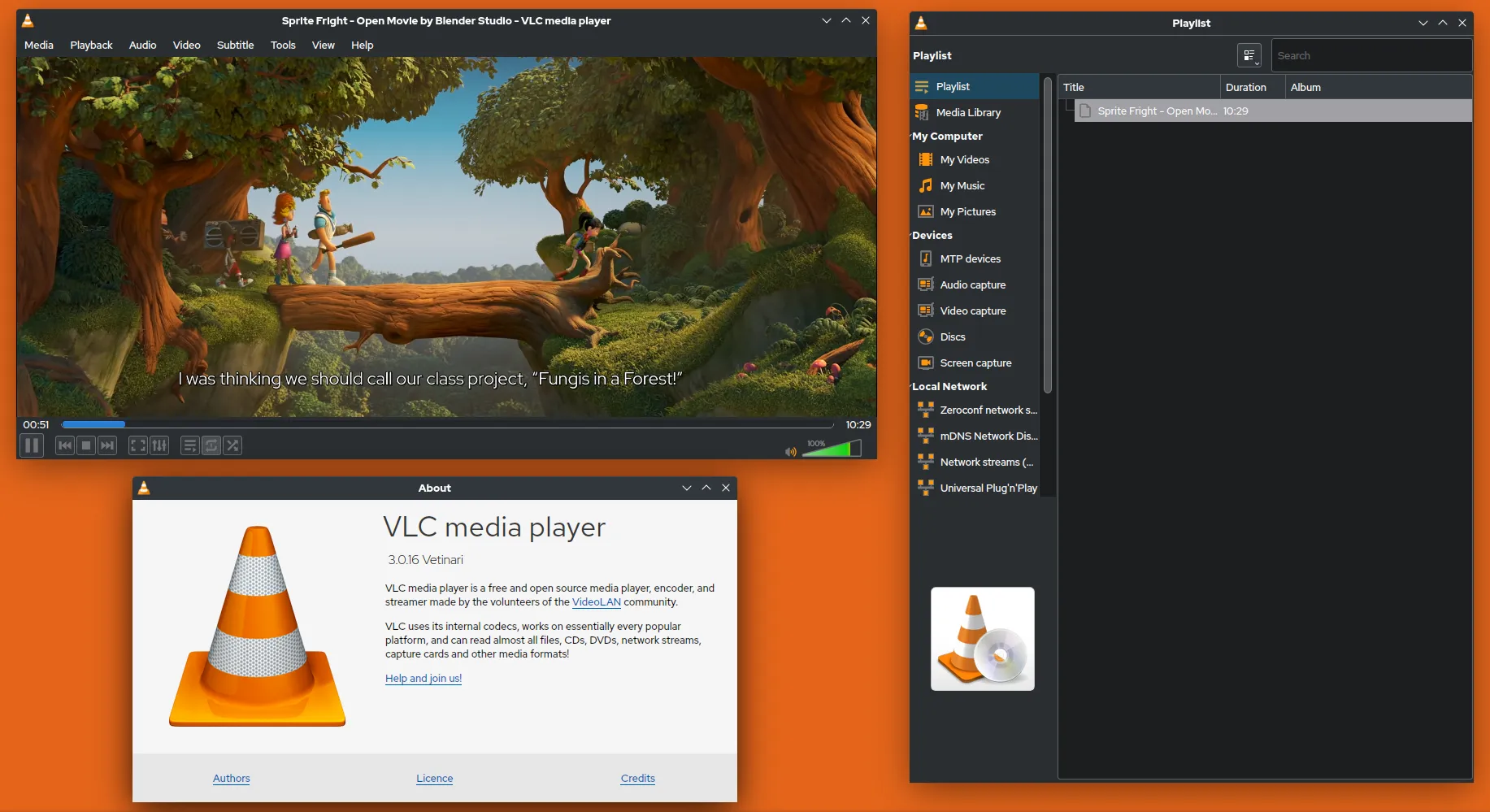

VLC can save a network stream to a file: open Media > Convert / Save, paste the URL in the Network tab, choose a profile and a destination file, then click Start. It works best when you have a direct media address, such as an .mp4 file, an .m3u8 playlist or an RTSP feed from your own IP camera. For pages on large video platforms, VLC is not the right tool; the end of this guide explains why and what to use instead.
Use VLC to record streams you own, public-sector or openly licensed broadcasts, or content whose owner permits it. Other cases fall under copyright and platform terms: see is downloading videos legal?.
What is VLC and why use it to save streams?
VLC media player is a free, open-source, cross-platform player developed by the VideoLAN non-profit. The application is distributed under the GPL version 2 or later and its core library, libVLC, under the LGPL 2.1 or later. Most people install it to play files, but it also includes a stream output system that can write whatever it receives to disk. Advantages:
- It is probably already installed.
- It opens a very wide range of protocols: HTTP(S), HLS, RTSP, RTP, UDP multicast, MMS.
- It works the same on Windows, macOS and Linux.
How do I save a stream with the VLC interface?
On Windows and Linux (VLC 3):
- Open Media > Convert / Save (shortcut Ctrl+R).
- Go to the Network tab and paste the stream URL.
- Click Convert / Save at the bottom.
- Under Profile, choose the output format.
- Under Destination file, click Browse and enter a file name with the right extension.
- Click Start. The progress bar shows the recording; press Stop to end it on a live stream.
On macOS, the interface is different: look for the Convert / Stream entry in the File menu. Menu labels vary between versions and interface languages; the VideoLAN wiki documents the receive-and-save workflow.
Which profile should I choose?
| Goal | Profile approach | Effect |
|---|---|---|
| Keep original quality | A profile set to keep the original video and audio tracks, TS container | No re-encoding, fast |
| Play on any device | Video - H.264 + MP3 (MP4) | Re-encodes, slower, slight quality loss |
| Audio only | Audio - MP3 or similar | Re-encodes audio, drops video |
Re-encoding in VLC is convenient but less controllable than FFmpeg. A good practice is to save the raw stream first and convert it later with FFmpeg if needed.
How do I save a stream from the command line?
The stream output chain does the same thing without the interface:
vlc "https://example.org/live/stream.m3u8" \
--sout "#std{access=file,mux=ts,dst=recording.ts}" vlc://quit#std{...}is the standard output module:access=filewrites to a file,mux=tswraps the data in MPEG-TS,dstis the path.vlc://quitcloses VLC when the input ends.- On Linux,
cvlc(orvlc -I dummyelsewhere) runs it without a window, which is handy on a server or in a scheduled task.
What is dump mode?
The dump module writes the input exactly as received, without demuxing:
vlc "URL" --demux=dump --demuxdump-file=capture.tsIt is the most faithful capture, but the result may need FFmpeg remuxing before it plays everywhere. In the interface, the Dump raw input checkbox of the Convert dialog offers the same idea; forum reports show it is temperamental with some sources.
How do I find a direct stream URL?
VLC needs the address of the media itself, not the web page around it. Legitimate places to find one:
- Your own equipment: IP cameras and encoders expose RTSP or HTTP URLs in their settings.
- Public broadcasters and institutions that publish their live HLS playlist or a direct download link.
- Open-data archives such as the Internet Archive, which offer direct file links for public-domain films.
When a page builds its stream with JavaScript, or splits audio and video into separate adaptive tracks, VLC alone will struggle. Our explainers on HLS and MPEG-DASH show how those formats work.
Why is VLC the wrong tool for platform pages?
VLC includes Lua playlist scripts that try to turn some web pages into stream URLs. Platforms change their pages often, so these scripts regularly break, and fixes arrive only with VLC updates. Even when playback works, saving may produce a low-resolution combined stream rather than the best quality. For those pages:
- Use yt-dlp for finished videos.
- Use Streamlink for live channels.
Neither tool, nor VLC, can save DRM-protected streams from paid services, and circumventing that protection is prohibited in most jurisdictions. See DRM explained.
How do I record my own IP camera on a schedule?
A common legitimate use is keeping a rolling archive of your own camera or encoder. VLC can record for a fixed duration and exit, which makes it easy to call from a scheduler:
#!/bin/sh
# record-cam.sh : one hour of the camera feed, one file per run
cvlc "rtsp://192.168.1.20:554/stream1" --rtsp-tcp --run-time=3600 \
     --sout "#std{access=file,mux=ts,dst=/srv/cam/cam-$(date +%Y%m%d-%H%M).ts}" \
vlc://quit--rtsp-tcpasks for RTSP over TCP instead of UDP, which avoids grey or broken frames on lossy Wi-Fi links.--run-time=3600stops the input after 3,600 seconds, andvlc://quitthen closes VLC.- The date in the file name gives one file per run, so a crash never corrupts the whole archive.
On Linux, a crontab line such as 0 * * * * /usr/local/bin/record-cam.sh starts a new file every hour. On Windows, create a task in Task Scheduler that runs vlc.exe with -I dummy and the same options. Keep in mind that recording people on camera is regulated: in the EU, the GDPR and national rules on video surveillance apply even to private installations that film beyond your own property.
Should I use VLC or FFmpeg to record a stream?
| Criterion | VLC | FFmpeg |
|---|---|---|
| Graphical interface | Yes | No |
| Direct URLs (MP4, HLS, RTSP, UDP) | Yes | Yes |
| Precise control of codecs and containers | Limited | Full |
| Scripting and automation | Possible with --sout |
Designed for it |
| Repairing timestamps, remuxing to MP4 | No | Yes |
A pragmatic split: use VLC when you want to click, and FFmpeg when you need a file that is exactly right. Both can work together: record a TS file with VLC, then turn it into an MP4 without re-encoding with ffmpeg -i recording.ts -c copy recording.mp4. If the MP4 refuses to play, our FFmpeg guide covers the usual fixes.
Troubleshooting
| Symptom | Likely cause | Fix |
|---|---|---|
| File is 0 KB | URL is a web page, not a stream | Find the direct media URL |
| File plays without sound | Audio codec unsupported by the chosen container or player | Use TS or MKV, or remux with FFmpeg |
| Recording stops after a few seconds | Playlist expired or token-protected URL | Use a fresh URL or a dedicated tool |
| Huge CPU usage | A transcoding profile is active | Keep original tracks instead |
For a side-by-side view of VLC and the other options, see our comparison of open-source video downloaders.
Open-source tools in this guide
| Tool | Licence |
|---|---|
| VLC media player | GPL-2.0-or-later (libVLC LGPL-2.1-or-later) |
| yt-dlp | Unlicense (public domain) |
Frequently asked questions
Can VLC download YouTube videos?
VLC ships Lua scripts that let it open some platform pages, but these scripts break whenever the site changes and saving through them is unreliable. For video pages on large platforms, a dedicated tool such as yt-dlp is the better choice, used only for content you are allowed to keep.
Why does VLC play the stream instead of saving it?
This usually happens when the URL is a web page rather than a direct media stream, or when the Display the output option is ticked. Check that you pasted a media URL, such as a file or an m3u8 playlist, and that a destination file is set.
Does saving with VLC lose quality?
Only if you choose a profile that re-encodes. Profiles such as Video - H.264 + MP3 convert the content. To keep the original streams, use a profile that keeps the original video and audio tracks, the dump mode, or the command-line stream output with a TS container.
Where is the Convert / Save menu on macOS?
On macOS, the interface differs from Windows and Linux. Look for the Convert / Stream entry in the File menu, which offers the same idea: open media, choose a profile and save as a file. Menu names can change between VLC versions and languages, so check the VideoLAN documentation for yours.
Is VLC free and safe?
VLC is free, open-source software developed by the VideoLAN non-profit. Download it only from videolan.org or your operating system's official store or package manager, because fake VLC installers bundled with adware are common on download portals.
Sources and open data
- VLC media player official site · VideoLAN
- Documentation: Streaming HowTo, Receive and Save a Stream · VideoLAN wiki
- Documentation: Advanced Streaming Using the Command Line · VideoLAN wiki
- Dump module · VideoLAN wiki
- VideoLAN legal and licensing information · VideoLAN
Related guides
- yt-dlp guide
A practical yt-dlp guide: install and update it safely, pick formats with -f and -S, name files, grab subtitles and keep a download archive.
- Streamlink for live streams
How to record live streams with Streamlink: install it, pick a quality, save to a file while watching, restart from the beginning and auto-retry when offline.
- HLS / m3u8
What an .m3u8 playlist really is, how HLS splits video into segments, and how to save an HLS stream to one clean MP4 with yt-dlp or FFmpeg.
- FFmpeg for video files
FFmpeg commands for downloaded video: merge separate audio and video, remux TS to MP4 without quality loss, cut clips, join parts and convert only when needed.
- Tools compared
yt-dlp, FFmpeg, Streamlink, VLC, desktop GUIs and Android apps compared by licence, platform, engine and best use, to pick the right open-source video tool.