US National Archives and Library of Congress: downloading historic film
Key takeaways
- The US National Archives (NARA) and the Library of Congress (LOC) hold the largest public collections of American film, much of it digitised and downloadable.
- Films made by US federal agencies are generally public domain, but NARA also holds donated films with use restrictions, so read the restrictions field of each record.
- The NARA Catalog API v2 requires a free key, requested by email, sent in an x-api-key header, with a default limit of 10,000 queries per month.
- The loc.gov JSON API needs no key: add fo=json to almost any loc.gov search URL, and use the /film-and-videos/ endpoint to restrict results to moving images.
- Library of Congress items carry a Rights and Access statement, which is the reference for reuse rather than the age of the film alone.
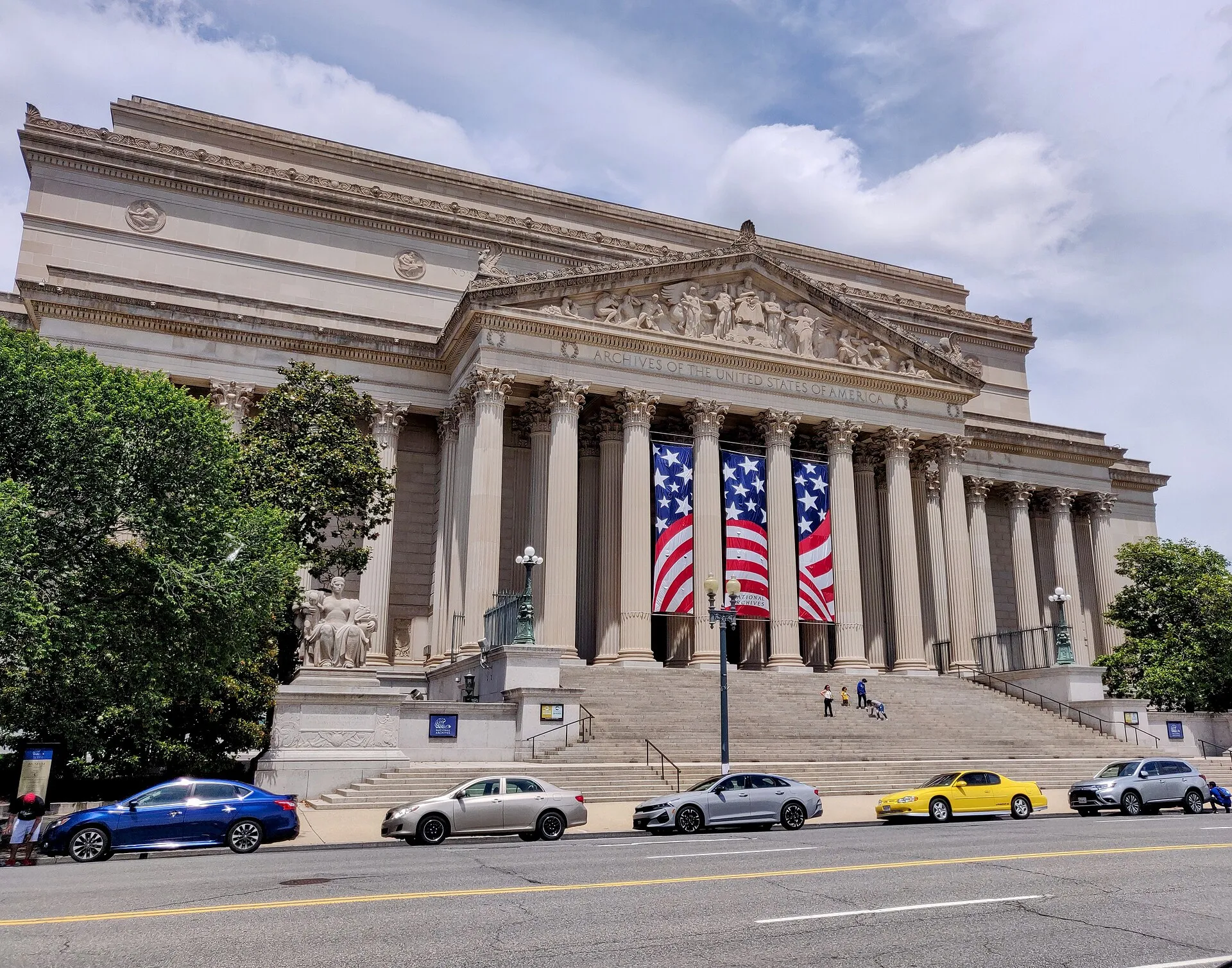

The two primary sources for historic American film are the National Archives (NARA), which keeps the records of the federal government, and the Library of Congress, which holds copyright deposits and film collections. Both put large parts of their holdings online, and both offer APIs. Their rules differ: NARA’s API needs a free key, the Library of Congress API does not.
This guide covers how to search each catalogue, download the files and check the rights before reusing anything.
What film do these two institutions hold?
| Institution | Typical film holdings | Rights in general |
|---|---|---|
| National Archives (NARA) | Films made or collected by federal agencies: military footage, newsreels, government information films, NASA and agency productions | Federal works generally public domain; donated material may be restricted |
| Library of Congress (LOC) | Early cinema, copyright deposit material, the National Film Registry, donated collections | Varies by item, stated in Rights and Access |
US federal works are not protected by copyright (US Copyright Office, Copyright Basics), which is why NARA is such a rich source of reusable footage. The Library of Congress is different: many of its films were deposited for copyright registration, so their status depends on dates, renewals and donor agreements. Our public-domain film checklist explains how to reason about it.
How do I search the National Archives Catalog?
Start with the web interface at catalog.archives.gov. Filter on the Moving Images type of materials and on records that are available online. Each description shows:
- the National Archives Identifier (NAID), the stable ID you will use in scripts;
- the creator (the agency that produced the film);
- access and use restrictions, the fields that matter for reuse;
- the attached digital objects, with direct download links when the film is digitised.
The use restrictions field is the one to read before anything else: “Unrestricted” is what you are looking for.
How do I use the NARA Catalog API?
The Catalog API v2 lives under https://catalog.archives.gov/api/v2/. Before using it:
- Request a key by emailing Catalog_API@nara.gov with your name and the email address to associate with it. The default key is read-only.
- Send the key in an
x-api-keyheader with every request. - Respect the quota: by default, 10,000 queries per month per key. If you exceed it, the key is blocked until the first day of the next month.
The official getting-started page shows a keyword search on the records/search endpoint, optionally filtered by availability and type of materials:
curl -s -H "x-api-key: YOUR_KEY" \
  "https://catalog.archives.gov/api/v2/records/search?q=project%20blue%20book&availableOnline=true&typeOfMaterials=Sound%20Recordings"
For film, use typeOfMaterials=Moving%20Images:
curl -s -H "x-api-key: YOUR_KEY" \
  "https://catalog.archives.gov/api/v2/records/search?q=apollo&availableOnline=true&typeOfMaterials=Moving%20Images&limit=100&page=1"
The API’s Swagger specification (catalog.archives.gov/api/v2/swagger.json, browsable at catalog.archives.gov/api/v2/api-docs/) is the authoritative reference. These records/search parameters are the most useful for video work:
| Parameter | What it does |
|---|---|
q |
Keyword search; supports boolean operators, wildcards and quoted phrases |
typeOfMaterials |
Material type; the accepted values include Moving Images, Sound Recordings, Photographs and other Graphic Materials and Textual Records |
availableOnline |
true keeps only records with digitised files |
recordGroupNumber |
Restricts to one record group, the unit NARA uses to file each agency’s records |
startDate, endDate |
Date range |
page, limit |
Pagination |
Results include the record’s NAID and its digital objects, from which you can collect download URLs. Filtering by record group is especially effective for film: agency footage is filed with the agency, so knowing the group of, for example, NASA or the Signal Corps narrows thousands of results to the relevant reels.
Because the monthly quota is modest, design your workflow to search once, store the results as JSON, and download from that stored list instead of querying repeatedly.
Pitfalls to avoid with the NARA API:
- Calling it without a key. A request without the
x-api-keyheader does not return a JSON error you can parse; you get the catalog’s web page instead. Ifjqfails on the response, check the header first. - Forgetting
availableOnline=true. Many film records describe reels that exist only on physical media. Without the filter, most results have nothing to download. - Spending quota on paging. Ask for the largest
limityour workflow can handle, so that each query brings back more records. - Trusting the title alone. Read the use restrictions on every record you keep; a few films in a government series include third-party material.
How do I search the Library of Congress with the loc.gov API?
The loc.gov API is built into the website: add fo=json to almost any loc.gov URL and you get JSON instead of HTML. For moving images, use the film-and-videos endpoint:
curl -s "https://www.loc.gov/film-and-videos/?q=edison&fo=json&c=25&sp=1"q: keyword search across metadata and, where available, full text including video transcripts;fo=json: response format (yamlalso works);c: results per page (default 25);sp: page number, starting at 1;fa: facet filter in the formname:value.
The API needs no key, but the Library of Congress enforces rate limits and blocks clients that overload it. Paging beyond the 100,000th result is not supported; use facets to split large queries. Add a pause between requests in scripts:
for page in 1 2 3; do
  curl -s "https://www.loc.gov/film-and-videos/?q=edison&fo=json&c=25&sp=$page" -o "loc-edison-$page.json"
  sleep 3
done
How do I download a Library of Congress film?
Each item page on loc.gov offers a download menu with the available file versions. In the JSON for an item, the same files are listed among the item’s resources. For research and editing, choose the highest-quality version offered, and keep the item URL with the file.
Before reuse, read the Rights and Access section of the item page. The Library writes it per collection or per item, and it is more reliable than guessing from the release year. Some collections are described as public domain or as having no known restrictions; others mention copyright or donor conditions.
What about better-quality copies?
Online files are often access copies. NARA’s Motion Picture, Sound and Video research room in College Park, Maryland, holds the originals, and NARA explains how to order reproductions on its motion picture pages. This matters for documentary producers who need broadcast quality rather than a web-resolution file.
How should I organise and cite what I download?
Keep the record identifier in the file name and save the record JSON next to the video:
NAID-12345678_moon-landing-raw-footage.mp4
NAID-12345678.json
Credit the institution and the record, for example “National Archives, NAID 12345678”. If you work on investigations or need to prove where a file came from, our OSINT video preservation guide explains how to hash files and document provenance.
Which other open sources complement NARA and LOC?
Many NARA films reappear on the Internet Archive and Wikimedia Commons, sometimes with better metadata, sometimes with worse quality. For space footage, the NASA Image and Video Library is the direct source.
Open-source tools in this guide
Frequently asked questions
Are National Archives films in the public domain?
Films produced by federal agencies, such as military, NASA or USDA productions, are generally not protected by copyright in the US. NARA also holds donated and commercial films, including newsreels, that may carry restrictions. Check the use restrictions noted in each catalog record.
How do I get a NARA Catalog API key?
Email Catalog_API@nara.gov with your name and the email address to associate with the key. The default key is read-only and allows 10,000 queries per month; higher limits can be requested by email.
Does the Library of Congress API need a key?
No. The loc.gov JSON API is public and keyless, but it enforces rate limits and blocks clients that send too many requests. Paging past the 100,000th result of a search is not supported, so narrow large queries with facets.
Can I order a better copy than the online file?
Yes. NARA's Motion Picture section explains how to order reproductions of films that are not online or that you need in higher quality. Fees and turnaround times are set by NARA and change, so check the ordering page.
Is every old film on loc.gov free to reuse?
No. The Library of Congress states rights information per item in its Rights and Access section. Some collections are public domain or have no known restrictions, while others are still in copyright or have donor conditions.
Sources and open data
- API for the National Archives Catalog · US National Archives
- Catalog API getting started · US National Archives
- Catalog API v2 Swagger documentation · US National Archives
- Moving Image and Sound Holdings · US National Archives
- loc.gov JSON/YAML API · Library of Congress
- loc.gov API request parameters · Library of Congress
- Copyright Basics, Circular 1 · US Copyright Office
Related guides
- NASA video library
Download NASA videos from images.nasa.gov: search the free API without a key, get the original MP4 and captions, and respect NASA's media usage rules.
- Public-domain film checklist
Check whether an old film is public domain: the US 95-year rule (1930 and earlier in 2026), renewals, EU life+70 for films, French rules and common pitfalls.
- Internet Archive
How to download videos from the Internet Archive legally: find public-domain films, read the licence field, and bulk-download with the official ia CLI.
- Wikimedia Commons videos
How to find and download free videos on Wikimedia Commons, read the licence and author through the API, and credit CC BY and CC BY-SA files correctly.
- OSINT video preservation
A sound workflow to preserve online video as evidence: capture the original with metadata, hash it with SHA-256, archive the page and log chain of custody.